Download

Get Mnemo

The latest release is v0.6.5. Every download below is free, open source, and works without an account. Platform stability varies, and we would rather tell you that up front than have you find out the hard way.

Need help? Follow the installation guide in the docs.

Windows

Stable, recommended

The primary platform. Includes an auto updater, so you install once and stay current. Windows 10 and 11, x64.

About the SmartScreen warning

Mnemo is not yet code signed, so Windows SmartScreen may warn you on first run. Click "More info", then "Run anyway". Only download Mnemo from the official GitHub repository, never from third parties.
Linux

Partly experimental

AppImage builds that run on most modern distributions. They work, but get less testing than Windows, so expect occasional rough edges.

Running an AppImage

Make the file executable first, for example chmod +x Mnemo.Desktop-stable-linux-x64.AppImage, then run it. Found a problem? Please report it on GitHub.

macOS

Highly experimental

Builds exist for Apple Silicon and Intel, but they are largely untested. We do not recommend macOS for daily studying yet. If you try it anyway, your bug reports genuinely help.

What "highly experimental" means

Features may crash, render incorrectly, or be missing. Keep expectations low and backups of anything important. Issues are tracked on GitHub.

After installing

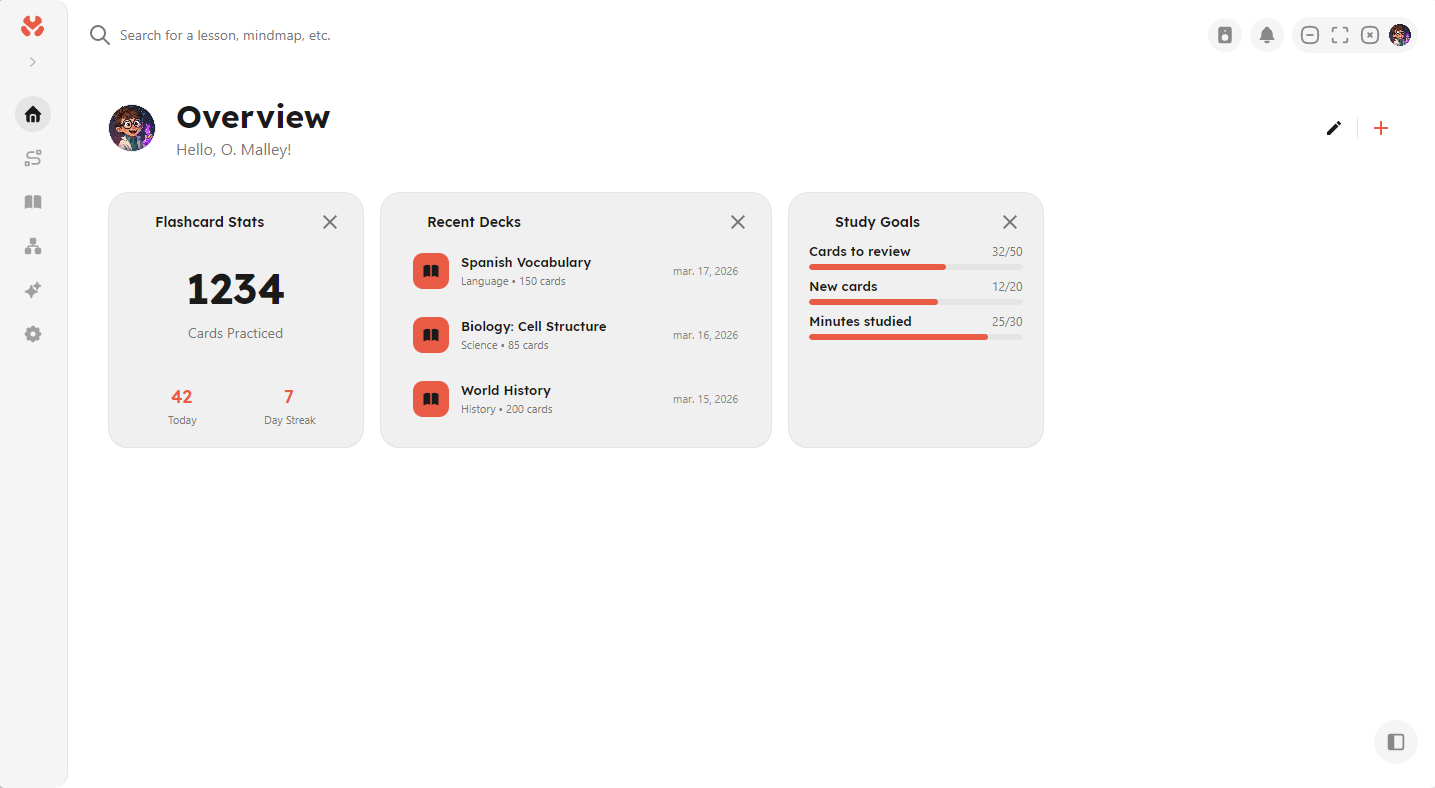
A short onboarding wizard sets your name, theme, and language, then drops you on the Overview dashboard. All data is stored locally on your device. The current release performs no cloud synchronization.

The Mnemo Overview dashboard with flashcard stats, recent decks, and study goal widgets