Learning paths
AI-generated study courses built from a topic and your own materials.
A learning path is a structured course that the AI assistant generates for you: a sequence of units, each with a goal and written content. Learning paths are experimental and require the AI assistant to be enabled; the Learning Path entry only appears in the sidebar when it is.
Creating a path
- Open Learning Path and create a new path.
- Enter a topic and optionally attach source material as PDF or text files.
- The assistant designs the unit structure first, then writes unit content.
Attached files are indexed locally so the assistant can pull relevant passages into each unit instead of working from the topic alone. PDFs must contain selectable text; scanned PDFs without a text layer cannot be read.
Unit content is generated one unit at a time. With Smart unit generation enabled in the AI settings, opening a unit generates its content automatically; otherwise you trigger generation per unit.
Reading a path
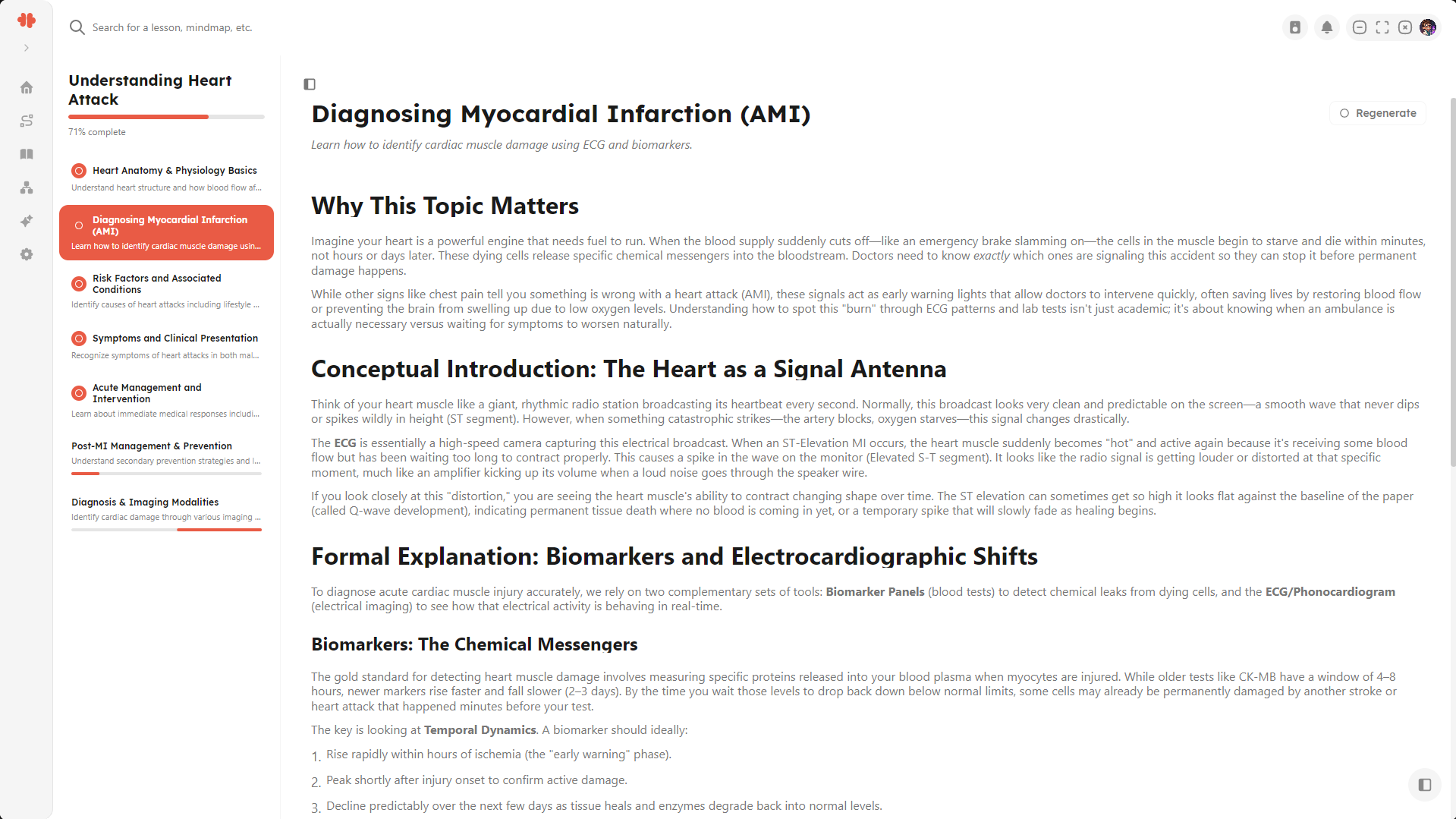
The path view shows the unit list on one side and the selected unit’s content on the other. Content is formatted text with the same rendering as chat, including math.
The progress percentage on a path tracks how many units have generated content. It does not track what you have studied.
Deleting
Deleting a path also deletes the indexed copies of its source material.